Wear OS 6 Guide: How to Install Premium N-SPORT Watch Faces on Pixel Watch 4 & Galaxy Watch 8
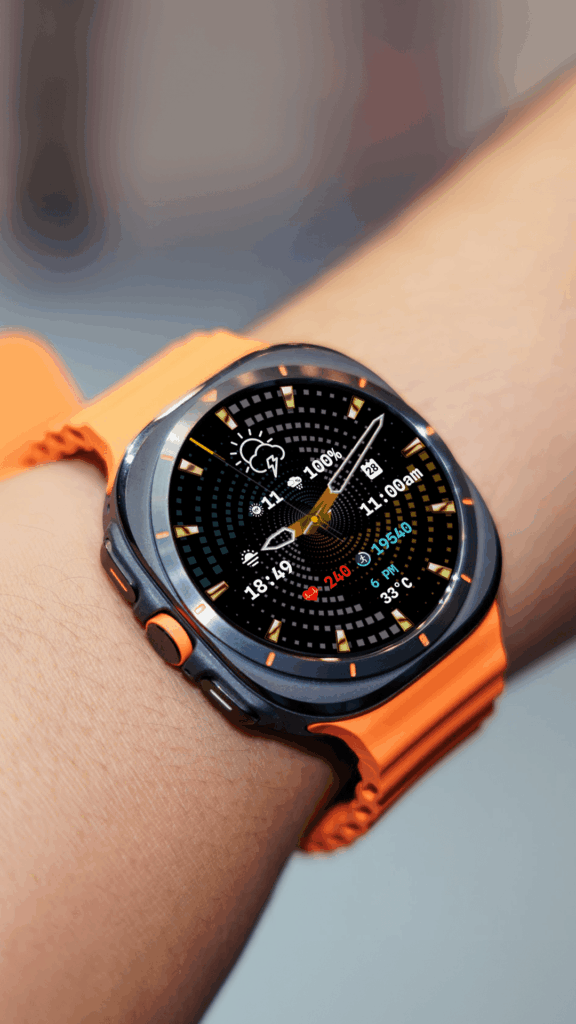
Just got a brand new Pixel Watch 4 or Galaxy Watch 8? First thing you probably want to do — make it yours. And honestly? Nothing changes the look of your watch faster than a good watch face.
The good news is that Wear OS 6 makes this easier than ever. With Google’s Watch Face Format becoming the new standard, you get faces that load instantly, barely touch your battery, and work across every modern Wear OS device.
Every single N-SPORT watch face is built in this format. No bloat, no compatibility headaches — just clean, premium design that works the moment you install it.
Here is exactly how to get them on your watch.
Why N-SPORT on Wear OS 6? A Quick Look
A lot has changed since Wear OS 6 landed. Google dropped support for legacy watch faces back in January 2026 — so if you installed a face years ago, there is a good chance it will not work anymore.
N-SPORT never had this problem. Every face we make uses the Watch Face Format (WFF) — the same format Google and Samsung recommend. That means:
- Works on Pixel Watch 4, Galaxy Watch 8, Watch 8 Classic, Galaxy Watch Ultra, and any Wear OS 5+ device
- No battery drain from background code — these faces just draw pixels
- Real-time weather, heart rate, steps, and other complications without draining your watch
- Luxury designs that do not slow your watch down
Oh, and there is a Buy 1 Get 1 Free deal running right now. More on that later.
What You Need Before You Start
Three things, really:
- Your Wear OS watch (Pixel Watch 4, Galaxy Watch 8, Ultra — anything Wear OS 5 or 6)
- The same Google account on both your phone and watch — this is the #1 reason people run into trouble
- Wi-Fi or mobile data on your watch
Heads up: If your phone and watch use different Google accounts, the Play Store will ask you to buy the face again on your watch. Double-check this before you hit “Buy.”
Method 1: Install Straight from Your Watch (Fastest)
No phone needed. Takes about 30 seconds.
- Press the crown on your Pixel Watch 4 or Galaxy Watch 8 to open your apps.
- Open the Google Play Store app on your watch — it is usually near the top.
- Search for N-SPORT (or a specific code like “783” or “299”).
- Scroll through the results. Look for the N-SPORT logo. The faces have clear previews so you can see what you are getting.
- Tap a face, read the details, then tap the price button (most are $1.50 — not bad for a premium face).
- Follow the on-screen steps to buy and install.
- Tap Apply to set it as your current face.
- Want to tweak the colors or complications? Long-press the face and hit Customize.
Method 2: Install from Your Phone (Better for Browsing)
- Open Google Play Store on your Android phone.
- Search for the face you want — try “N-SPORT 783” or “N-SPORT 299 Bluecoral.”
- Make sure you are buying from N-SPORT WATCH FACE (they have a green verified badge).
- Tap Install. On the popup, confirm your watch is selected as the target device.
- The face will push to your watch automatically in a few seconds.
- On your watch, long-press your current face, swipe through the carousel, and tap your new N-SPORT face to apply it.
Pro tip: Use the Pixel Watch app (for Pixel Watch 4) or Galaxy Wearable app (for Galaxy Watch 8) to switch between faces and manage complications from your phone.
Method 3: Install from a Computer (No Phone? No Problem)
- Open any browser and go to the N-SPORT Google Play page.
- Browse the full collection — there are 200+ designs to pick from.
- Click a face, hit Install, and choose your watch as the target device.
- As long as your watch is connected to Wi-Fi, the face will download and install remotely.
Troubleshooting — Things That Can Go Wrong
“This face is not compatible with my watch”
Rare, but happens if your watch software is out of date. Go to Settings > System > Software update and install the latest version. N-SPORT faces support Wear OS 5 and up.
“I bought the face on my phone, but it is not showing on my watch”
This is almost always a Google account mismatch. Go to Settings > Accounts on your watch and make sure the email matches your phone. If it does, wait 2–3 minutes and check again.
“The weather complication is blank”
N-SPORT faces need location access. Go to Settings > Apps > Permissions on your watch and enable location for the face.
“Play Store is not loading on my watch”
Restart both your watch and your phone. Make sure both are on Wi-Fi.
Five N-SPORT Faces to Try First
Not sure where to start? Here are five crowd-favorites — click any face to see its product page:
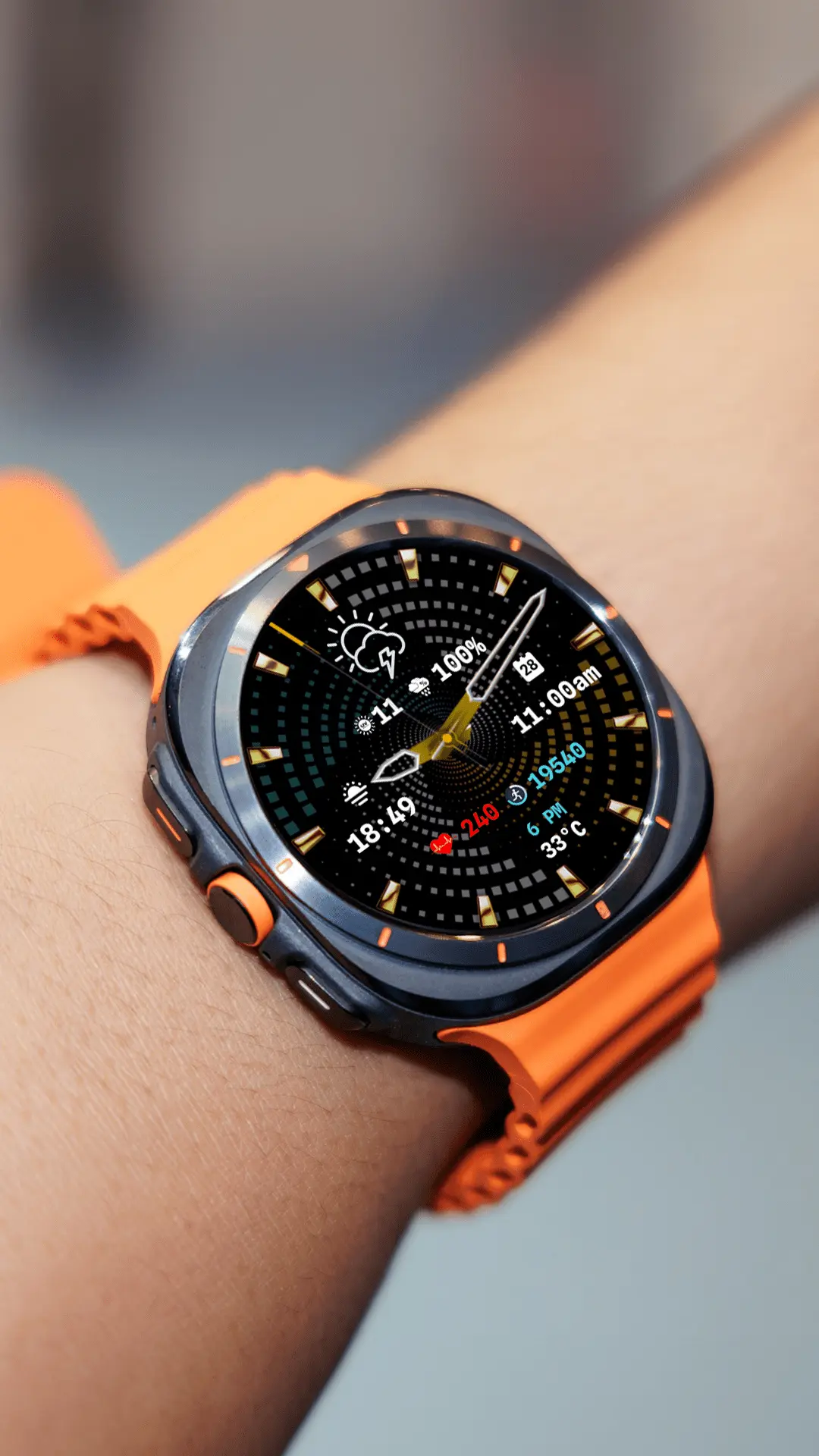
1. N-SPORT 783 Gyro Motion — Luxury Hybrid ($1.49)
That satisfying gyro effect when you rotate your wrist. Real-time weather, customizable complications, and a stunning hybrid analog-digital design that looks incredible on the Pixel Watch 4’s bright display.
→ View on Google Play | → View Details & More Images
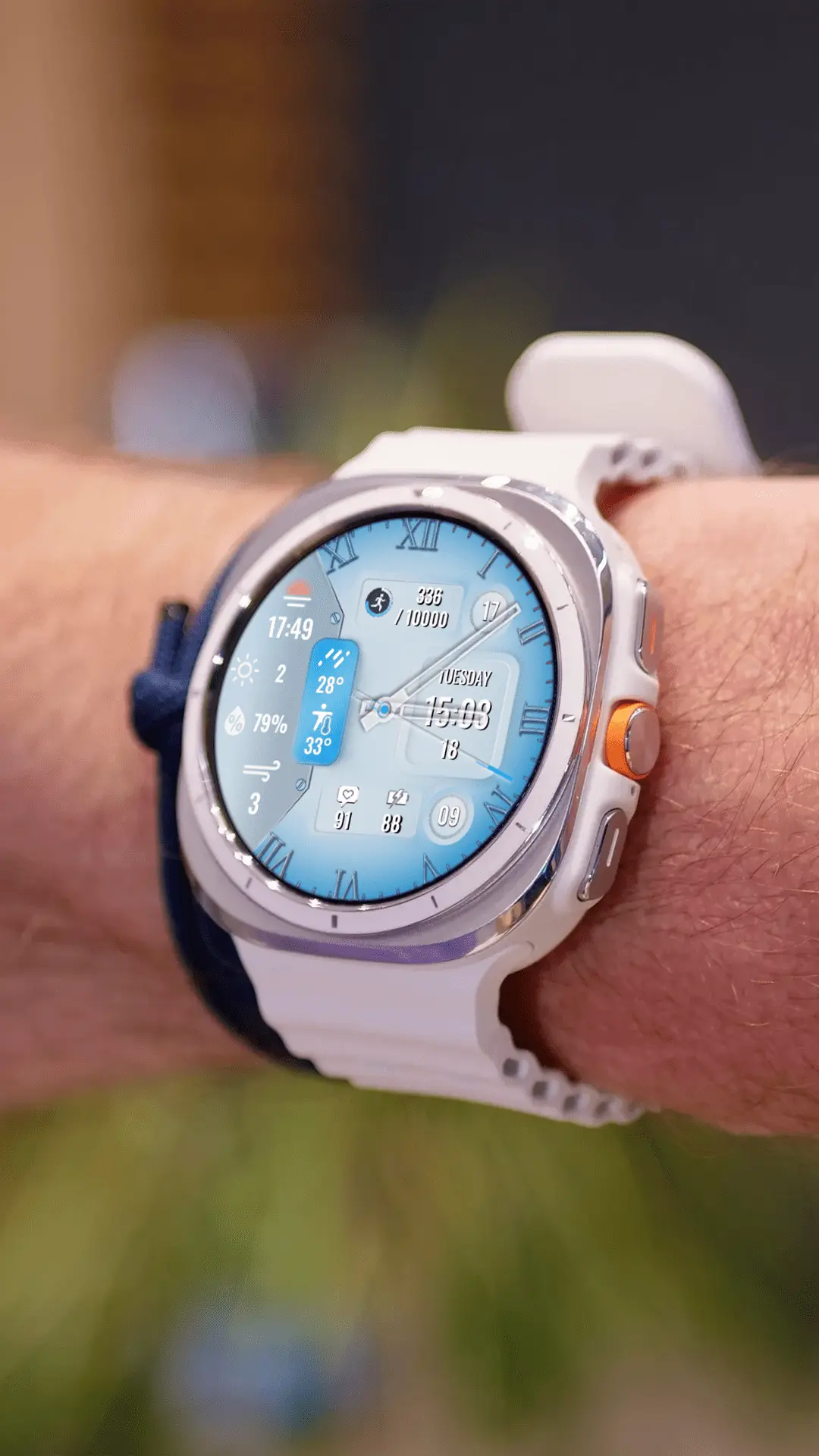
2. N-SPORT 299 Bluecoral — Classic Analog ($1.49)
Clean, sophisticated — perfect for the office. This elegant face combines a classic analog design with modern weather features. One of our bestsellers with over 100 downloads.
→ View on Google Play | → View Details & More Images
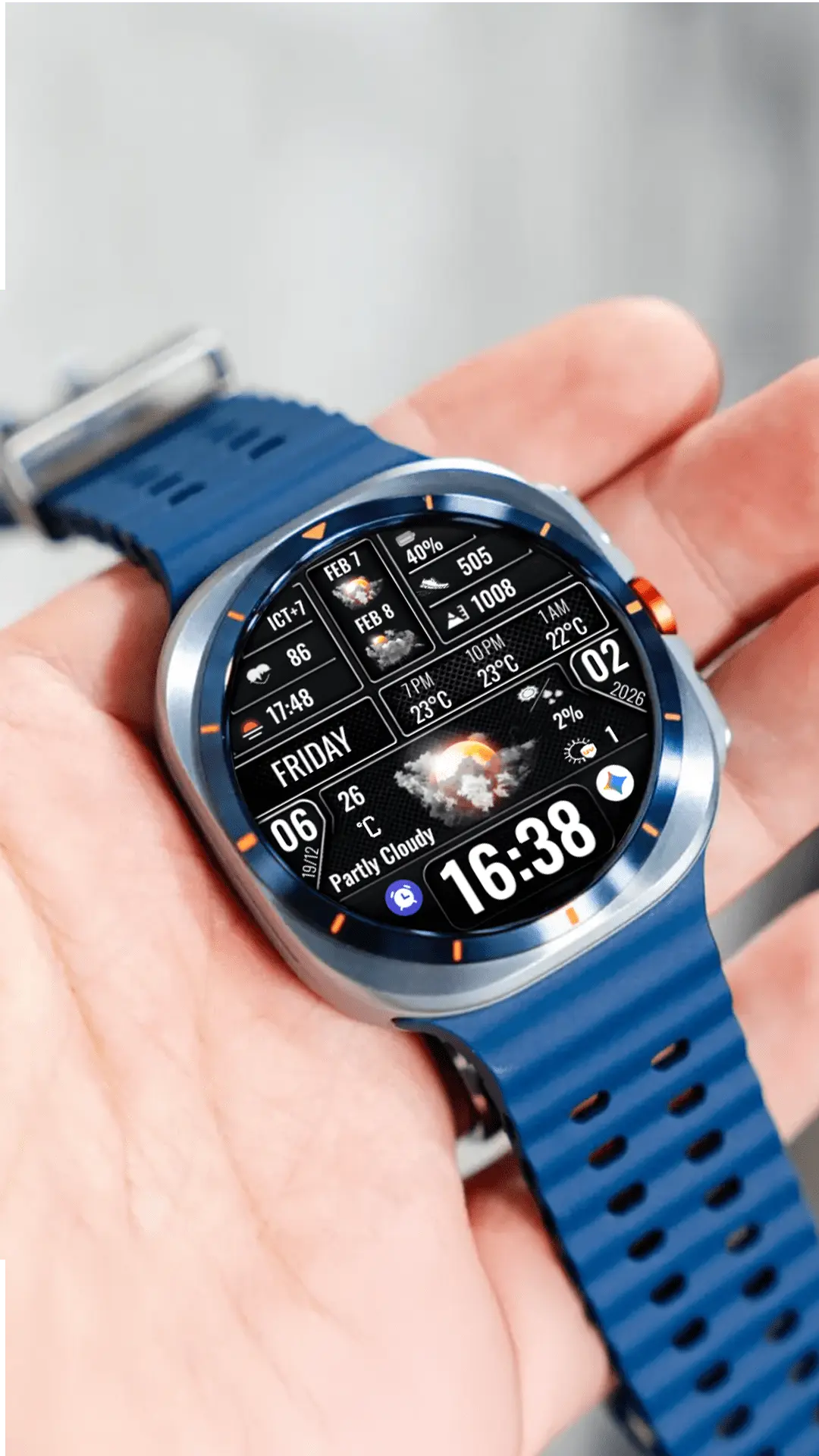
3. N-SPORT 753 Digital — Modern Digital ($1.49)
Big bold digits for athletes and fitness lovers. Features lunar calendar, real-time weather, and crisp digital readability at a glance. Perfect for active users.
→ View on Google Play | → View Details & More Images
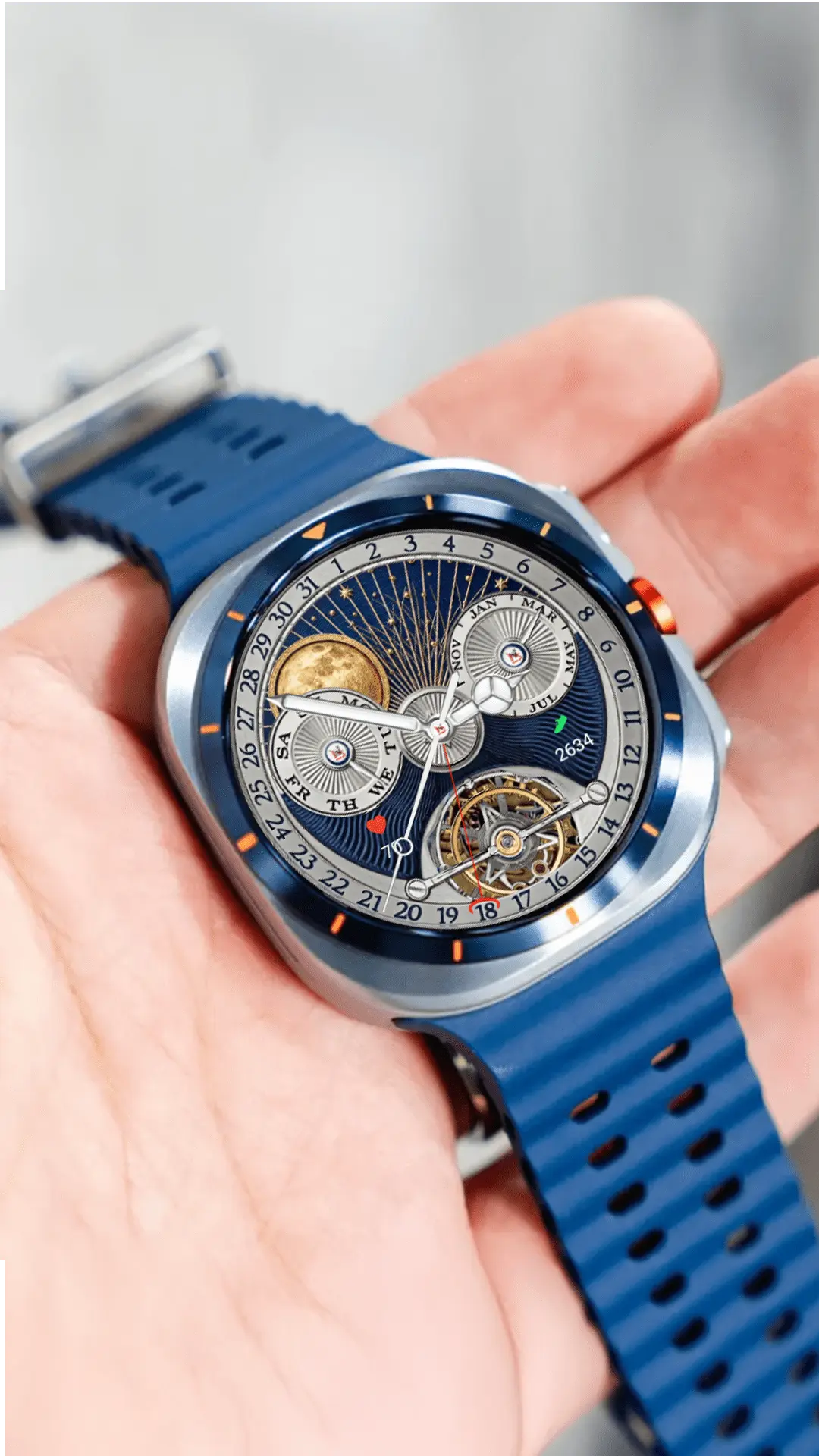
4. N-SPORT 652 N-Tourbillon — Mechanical Analog ($1.49)
Looks like a luxury Swiss watch on your wrist. Features a stunning tourbillon animation and mechanical details that watch enthusiasts will appreciate.
→ View on Google Play | → View Details & More Images
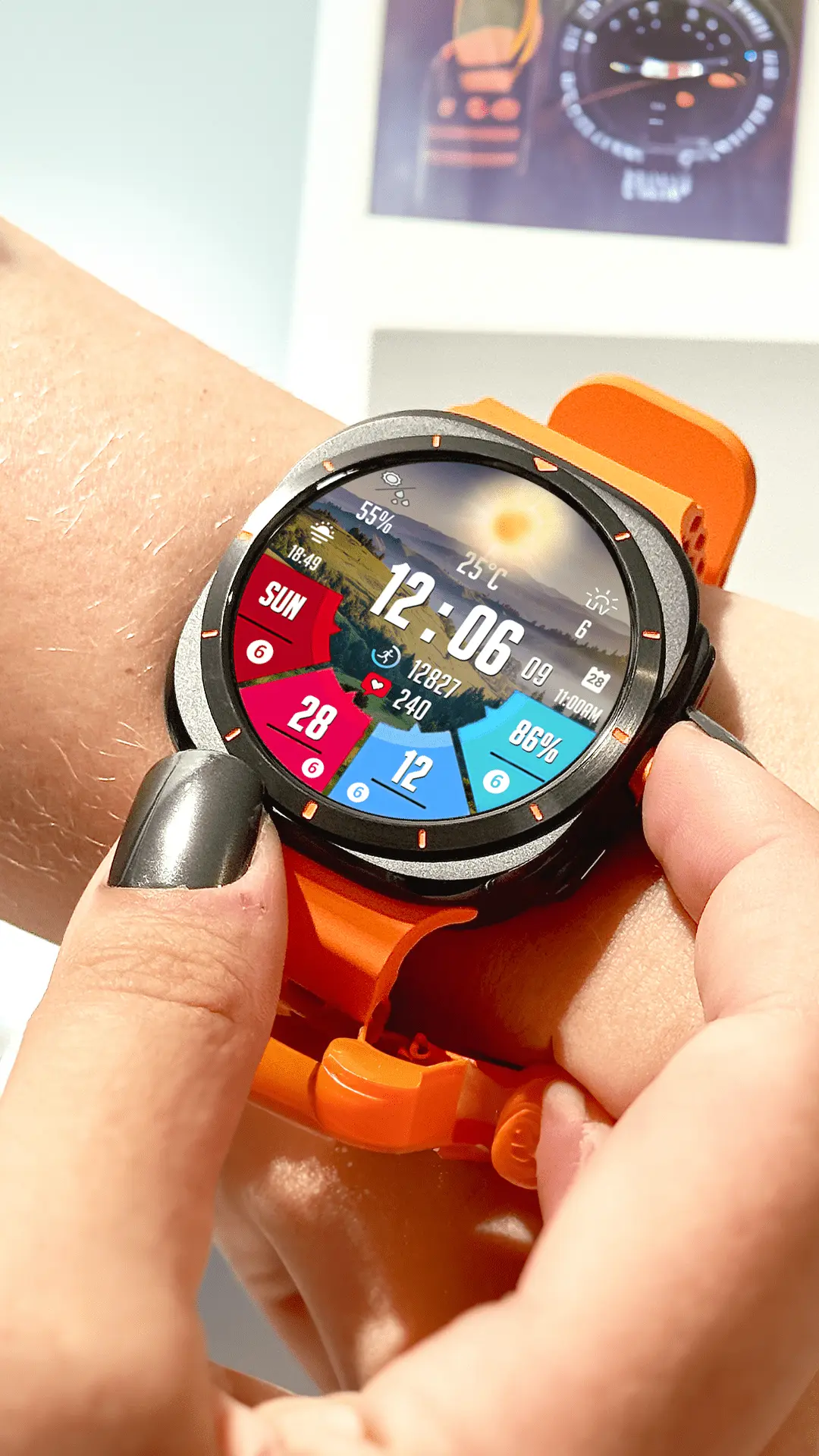
5. N-SPORT 173 Real-time Weather — Digital Weather ($1.49)
Live weather updates right on your watch face. Rated 4.4 stars on Google Play. Features big digital time display with weather forecasts, UV index, and temperature.
→ View on Google Play | → View Details & More Images
Exclusive BOGO Deal — Buy 1, Get 1 Free
Here is the part people ask about most. N-SPORT is running a Buy 1 Get 1 Free promotion on all watch faces.
Pick any face, pay for it, and get another one of equal or lesser value completely free. No coupon code to type, no hoops to jump through — it applies automatically at checkout.
Wrapping It Up
Wear OS 6 is a big step forward for smartwatch customization. The switch to Watch Face Format means faster, safer, and more battery-friendly faces — and N-SPORT has been building for it from the start.
- Use the same Google account on your phone and watch (seriously, check this)
- You can install from the watch, your phone, or a computer
- Every N-SPORT face is WFF-native and works on Wear OS 6
- The BOGO deal makes it easy to grab two premium faces for the price of one
Got questions? Drop a comment below or check out the N-SPORT installation guide for more details.
Last updated: May 2026. Compatible with Google Pixel Watch 4, Samsung Galaxy Watch 8 / 8 Classic / Galaxy Watch Ultra, and all Wear OS 5+ devices running the Watch Face Format.