
How to Install N-SPORT 615 Hybrid Watch Face for Free & Why N-SPORT 788 Is the Ultimate Upgrade
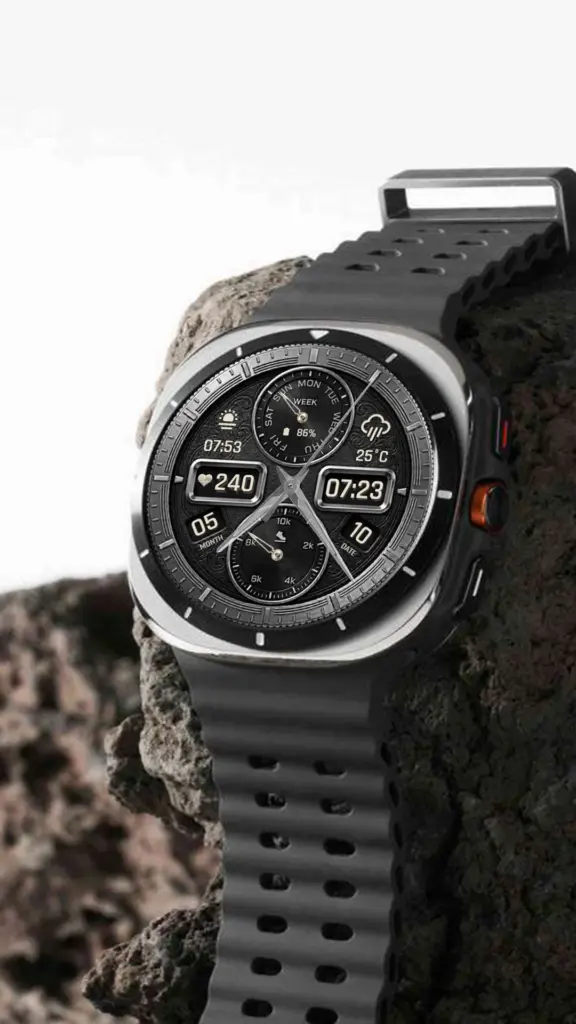
How to Install N-SPORT 615 Hybrid Watch Face for Free on Your Samsung Galaxy Watch
Are you ready to give your smartwatch a fresh new look without spending a cent? The N-SPORT 615 Real-time Weather Luxury Hybrid Watch Face is currently available as a free download on Google Play. This is the perfect opportunity to experience premium design and real-time weather functionality on your Samsung Galaxy Watch Ultra, Watch 8, 7, 6, 5, or 4.
In this guide, I’ll walk you through everything you need to know about the N-SPORT 615 — from its standout features to the simple installation process.
What Makes N-SPORT 615 Special?
The N-SPORT 615 is a beautifully crafted hybrid watch face that blends analog elegance with digital precision. Here’s what you can expect:
- Real-Time Weather Forecast — Stay ahead of the weather with live updates directly on your wrist
- Analog & Digital Display — Clean analog hands alongside a crisp 12H/24H digital time readout
- Heart Rate Monitoring — Tap the heart rate zone to check your current BPM; auto-measurement every 10 minutes
- Step Counter & Battery Indicator — Track your daily activity and watch battery at a glance
- Fully Customizable — Long-press to enter customization mode: change background color, adjust complications (weather, steps, time zone, sunset/sunrise, barometer, next appointment, and more)
- Always-On Display (AOD) — Battery-optimized AOD keeps essential info visible
- Compatible with all Wear OS devices — API level 28+ support covers Samsung Galaxy Watch series, Google Pixel Watch, Xiaomi Watch, and more
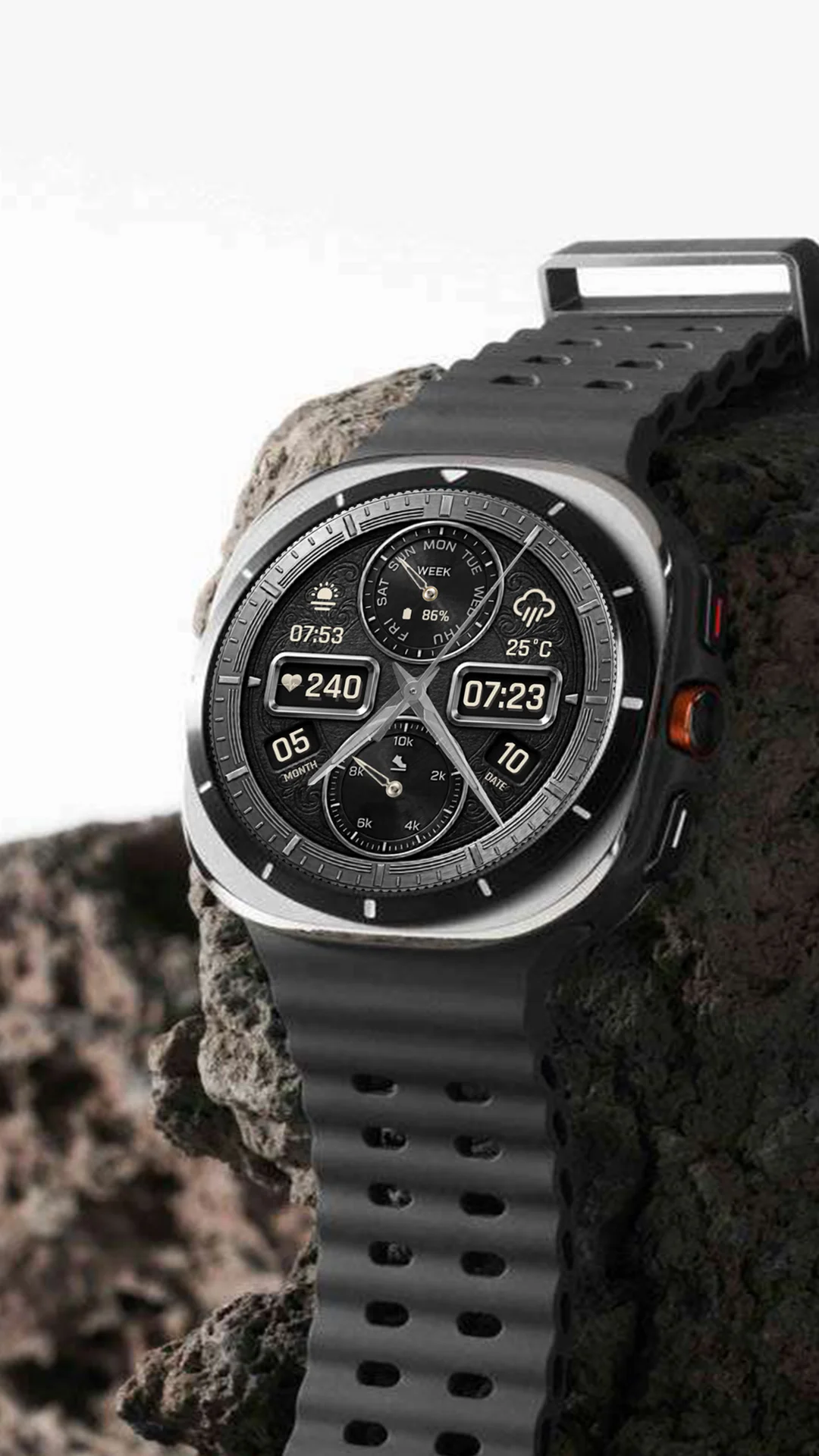
How to Install N-SPORT 615 on Your Watch — Step by Step
- Open Google Play on your phone or smartwatch
- Search for “N-SPORT615 Hybird Watch Face” or tap the link to go directly
- Tap “Install” — the watch face will download and install automatically to your paired watch
- Apply the watch face — On your watch, long-press the current watch face, swipe to the end, and tap “+” to add it
- Customize — Long-press the watch face after applying to adjust colors, complications, and data fields to your liking
💡 Pro Tip: For heart rate readings, tap the heart rate area on the watch face and wait a few seconds. The watch will display your current BPM and continue auto-measuring every 10 minutes.
Looking for a Premium Upgrade? Discover N-SPORT 788
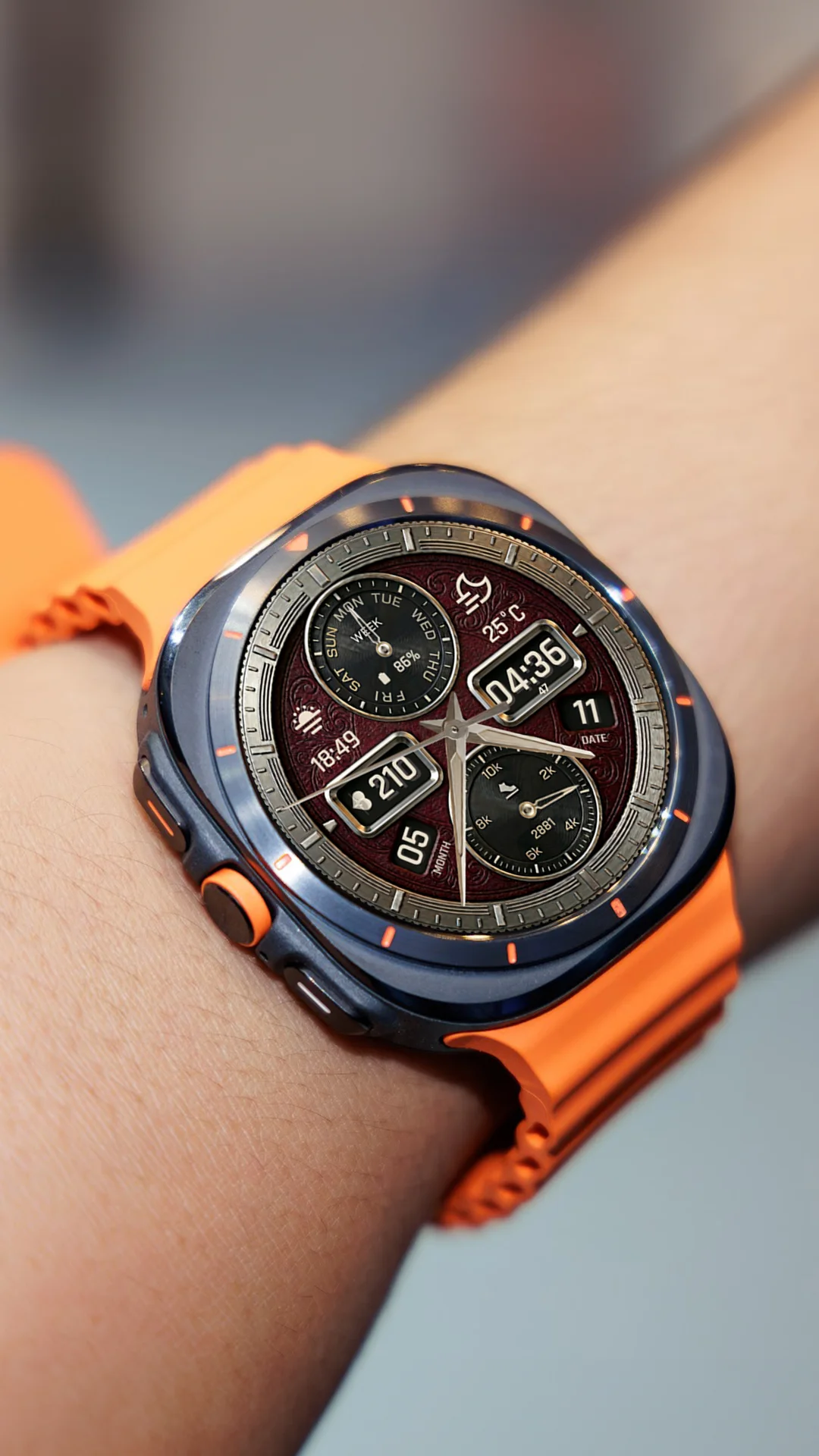
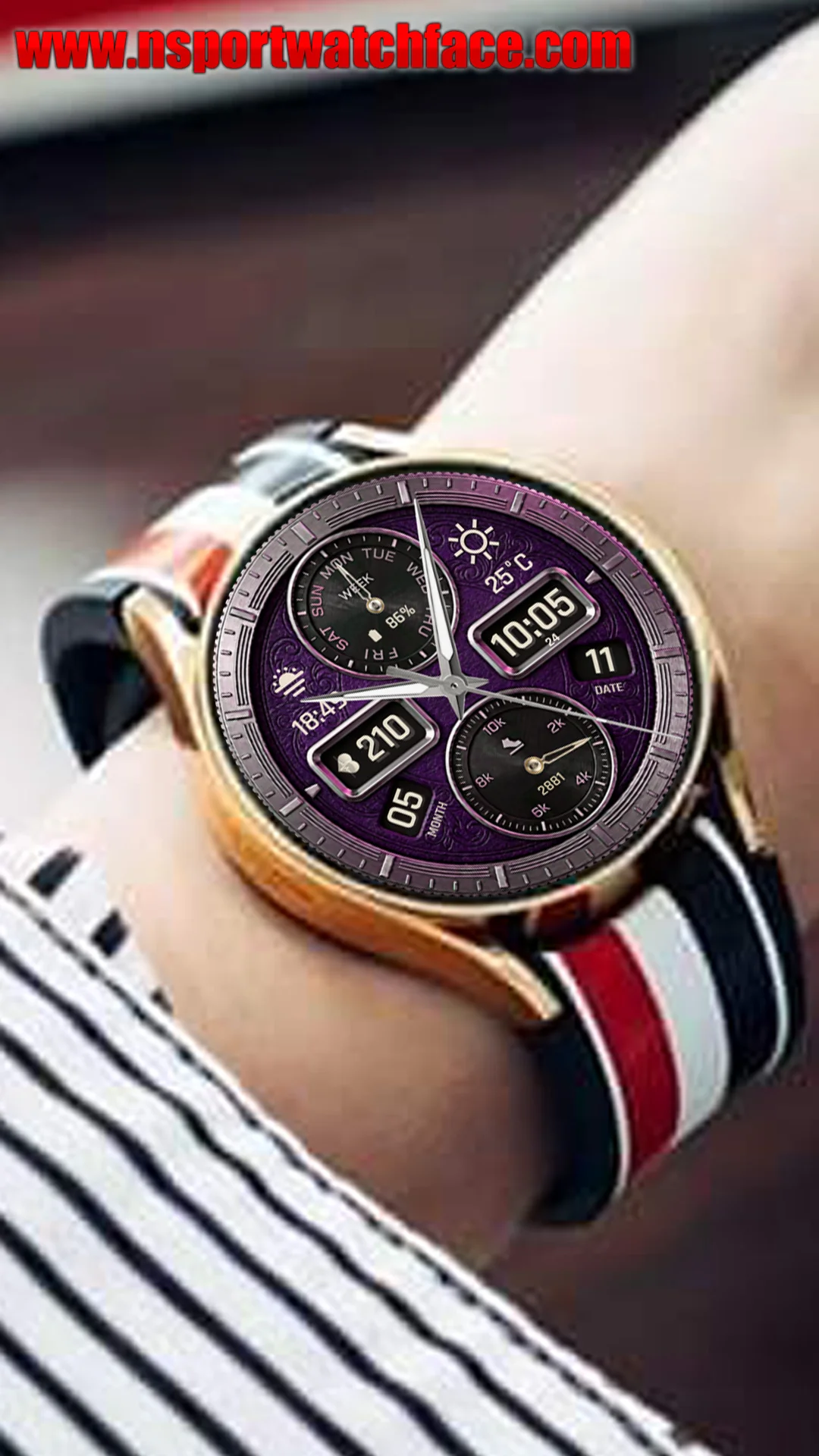
Once you’ve experienced the quality of N-SPORT 615, you might be wondering — what’s next? If you’re ready to take your watch face game to the next level, let me introduce you to the N-SPORT 788 Luxury Hybrid Watch.
Think of N-SPORT 615 as your perfect daily companion — reliable, functional, and stylish. The N-SPORT 788 builds on that same foundation but adds an extra layer of luxury and sophistication that truly transforms your smartwatch experience.
What Sets N-SPORT 788 Apart?
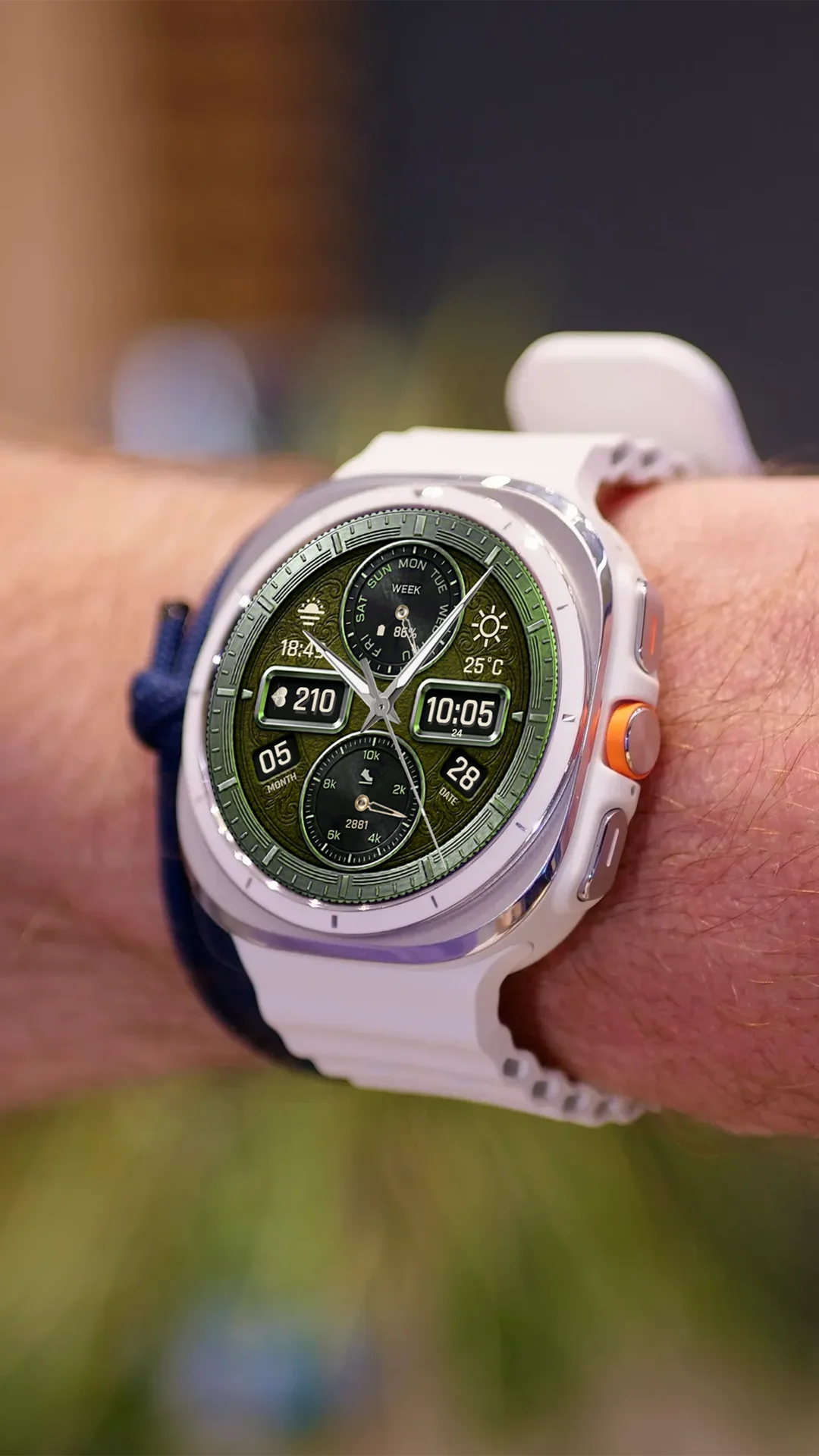
- Premium Luxury Design — More refined details, richer color palettes, and a bolder presence on your wrist
- Enhanced Weather Display — More prominent real-time weather with additional atmospheric data (wind speed, humidity)
- Smooth Second Hand Animation — Ultra-smooth sweeping second hand for a premium mechanical watch feel
- Heart Rate Rotate Effect — Animated heart rate icon that rotates dynamically when measuring
- 10 Color Themes — Switch between 10 stunning color presets to match any outfit or mood
- 2 Custom Backgrounds — Choose between multiple background styles for a personalized look
- Optimized for API 34+ — Built specifically for the latest Wear OS 5 devices with improved performance and battery life
- X15 Dynamic Weather Icons — Vibrant weather icons that change seamlessly with real-time conditions
While N-SPORT 615 is fantastic for everyday use with its clean hybrid layout and essential health tracking, the N-SPORT 788 elevates every aspect — from visual richness to customization depth. It’s the watch face you choose when you want your Galaxy Watch to make a statement.
👉 Check Out N-SPORT 788 Luxury Hybrid Watch on Google Play
Which One Should You Choose?
Here’s a quick comparison to help you decide:
| Feature | N-SPORT 615 (Free) | N-SPORT 788 (Premium) |
|---|---|---|
| Design Style | Clean hybrid | Luxury hybrid |
| Weather | ✓ Real-time | ✓ Enhanced + wind/humidity |
| Heart Rate | ✓ Tap & auto | ✓ Tap & auto |
| Custom Colors | No (Black & White only) | 10 Color Themes |
| Custom Backgrounds | 2 backgrounds | 2 Custom Backgrounds |
| Animations | No | Smooth Second Hand + Heart Rate Rotate Effect |
| API Level | 34+ (Wear OS 5) | 34+ (Wear OS 5) |
| Price | Free | $1.49 |
My recommendation? Start with the N-SPORT 615 while it’s free — it’s a fantastic watch face with zero cost. If you fall in love with the design and want something even more refined, the N-SPORT 788 is well worth the investment.
Don’t Forget the BOGO Promotion
Did you know? N-SPORT offers an incredible Buy 1 Get 1 Free promotion. When you purchase N-SPORT 788 (or any premium N-SPORT watch face), you get a second one completely free! Visit the BOGO page for details.
Final Thoughts
The N-SPORT 615 is a brilliant free watch face that punches well above its weight class. Whether you’re a long-time N-SPORT fan or trying our designs for the first time, it’s the perfect entry point into premium Wear OS customization. And when you’re ready to elevate your experience, the N-SPORT 788 is waiting to impress.
👉 Download N-SPORT 615 for free now and see the difference great design makes on your wrist!