Description
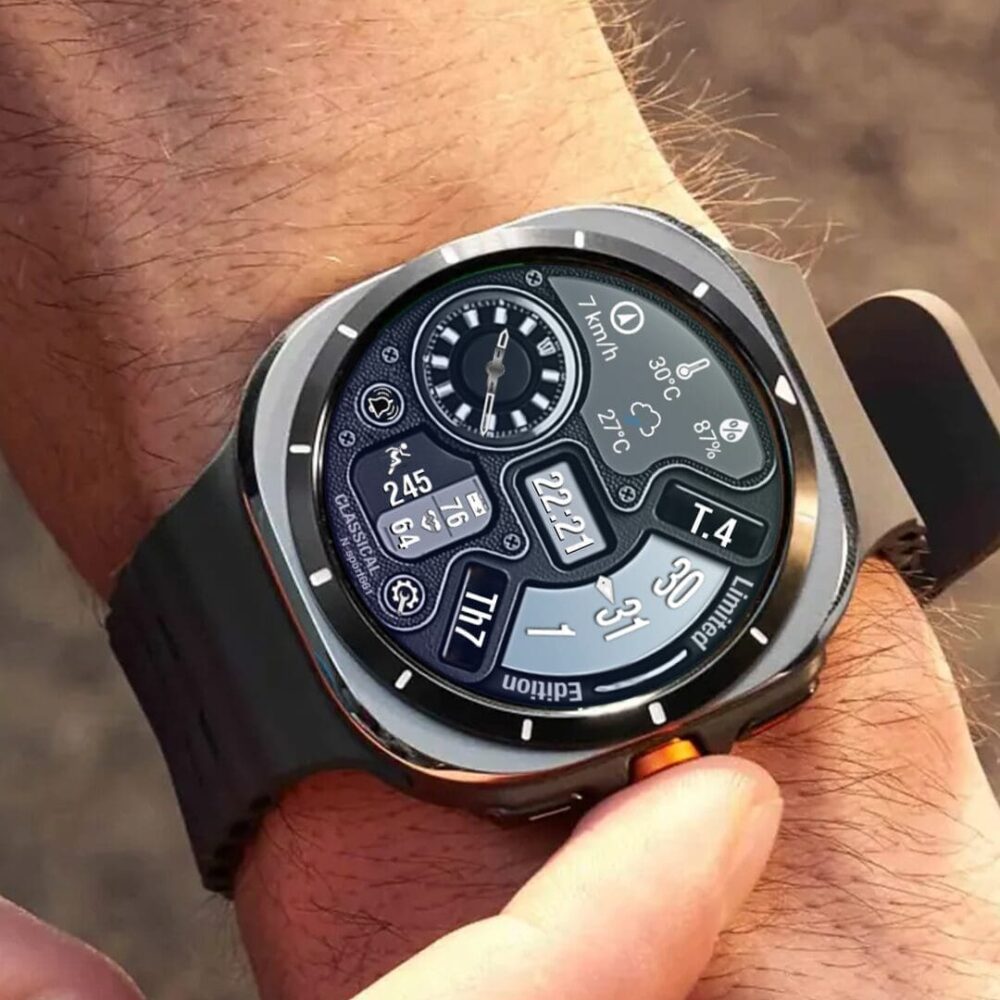
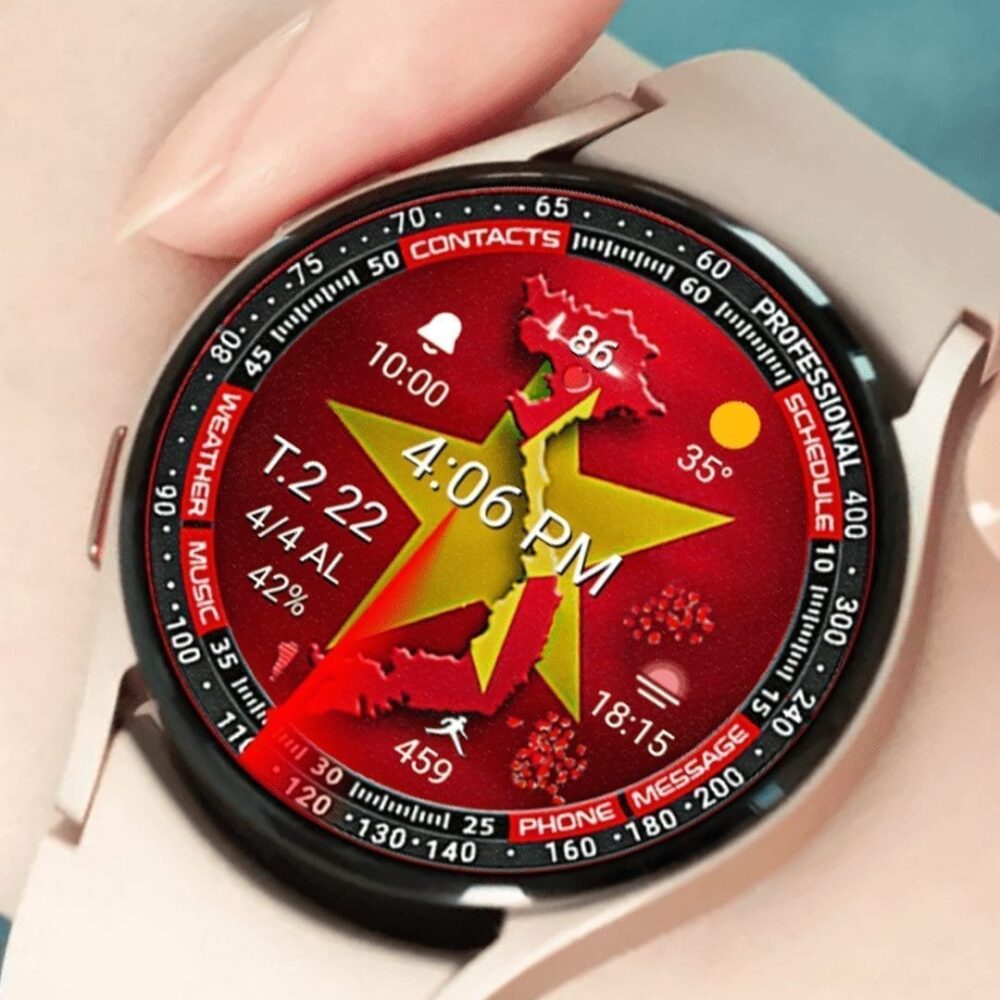
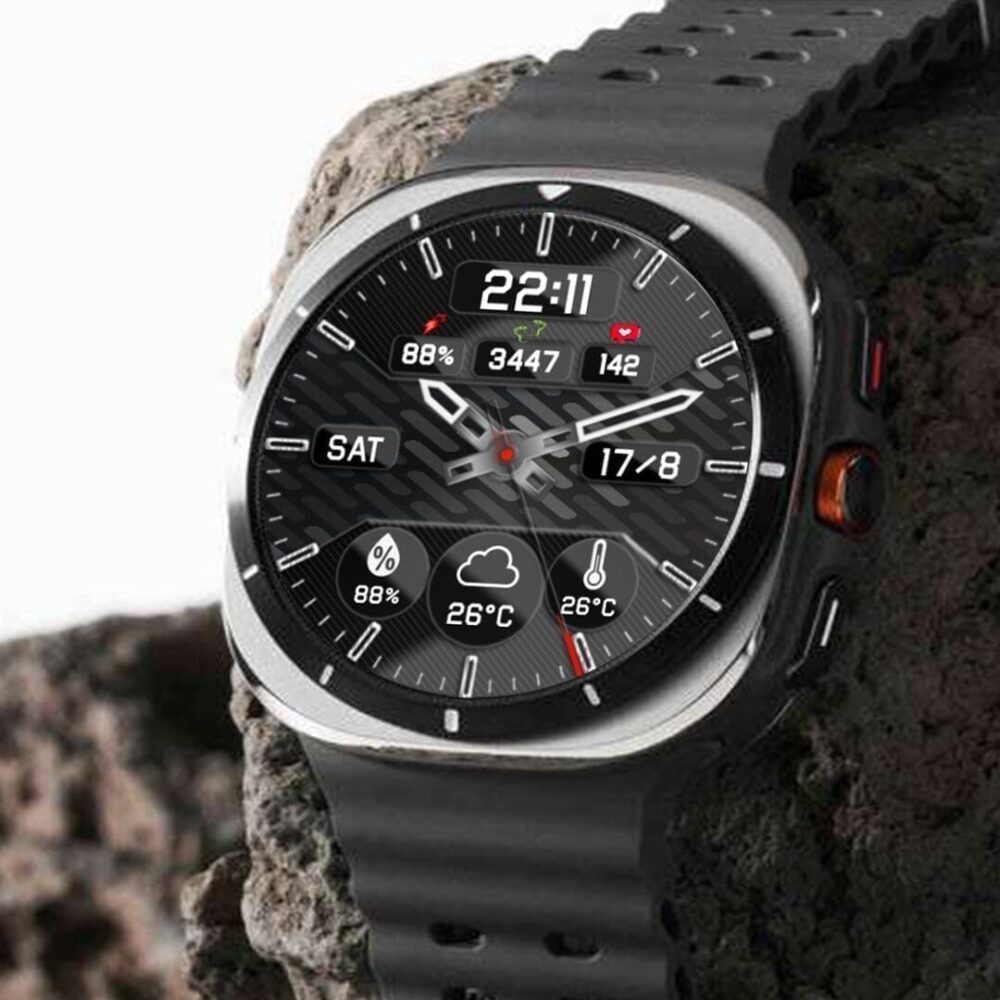
Experience the new Weather N-Sport watch face.
The N-Sport 733 watch face is the Wearos5 watch that supports new weather features such as: real-time weather icon, UV index, temperature, ..., allowing you to track the most intuitive time. You can customize the background color and many complex options.
Highlights:
- Digital time (12h/24hr)
- Weather icon X15 corresponds to 15 weather states
(1: White, 2: Machine, 3: Fog, 4: Heavy_rain, 5: Heavy_snow, 6: Rain, 7: Tuyet, 8: Sunny, 9: Thunderstorm, 10: Sleet, 11: Light_snow, 12: Light_rain, 13: Mist, 14: Partly_Cloudy, 15: Wind)
- UV index, temperature flow, weather type.
- Weather forecast 1 day, 2 days, 3 days (Date, symbol, low temperature-Cao)
- Customized function x2 (for user date)
- Customized wallpaper X10 (for user date)
- Health information: heart rate, number of steps ...
- Day of the week, day of the month
- Display % of the current battery
- Support Always on Display
Don't forget to receive 1 get 1 free buying offer at:
https://spottt.wsrc1fgfrqbz4m.flashpanel.link/promotion
I will also be happy to receive any feedback in the Play store. What you like, what you don't like or suggestions for the future. I try to have everything in my view.
Professional: N-Sport watch face only supports smart watch devices running with API Wear OS level 33+. For example: Samsung Galaxy Watch Ultra/ Watch 7/ Watch 6/ Watch 5/ Watch 4 Classic, Pixel Watch, etc.
❤️Do heart rate (version 1.0.4):
Measuring the heart rate has been changed. (Formerly handmade, now automatically). Set the measurement time in the health settings of the clock (watch setting> health).
If the installation is difficult, please read the instructions here:
https://spottt.wsrc1fgfrqbz4m.flashpanel.link/instruction-install/
Or contact me: admin@nportwatchface.com for help.
Please keep in touch!
Praping application shortcut and custom combination:
shortcut = link to a utility
Customize = change value
1. Press and hold the clock screen.
2. Press the custom button.
3. Swipe from right to left until "complications".
Click on them to make the desired settings.
✨ Accompanying with the clock does not require the right to install on a smartphone, with the purpose of making it easy to install the clock face when connecting to your smartphone (you can easily follow the detailed instructions above on the companion application)
The features of the companion application only include:
+ Click to install the watch face on your watch
+ Link to N-Sport Watch Face Play store page
+ Link bogo buy 1 get 1 on the website N-Sport Watch Face
That's it!

![N-SPORT161]UltraView N-sport Watch Face Samsung - N-SPORT WATCH FACE](https://spottt.wsrc1fgfrqbz4m.flashpanel.link/wp-content/uploads/2024/09/55664gg444-copy-1-1000x1000.jpg)