
WearOS Customization Guide: How to Setup N-SPORT Watch Faces
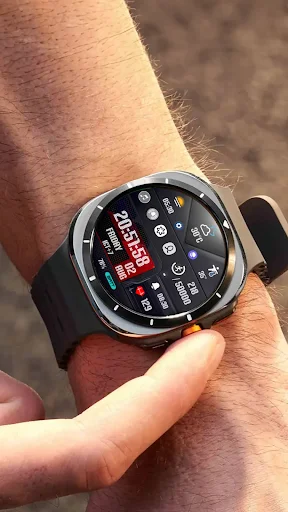
How to Customize Wear OS Watch Faces with N-SPORT Designs: A Step-by-Step Guide
Owning a Samsung Galaxy Watch Ultra or a Wear OS 5 device is about more than just telling time—it’s about expression. While N-SPORT watch faces come with stunning default settings, the real magic happens when you personalize them. In this guide, we’ll show you làm thế nào để master the deep customization features of N-SPORT designs.
Step 1: Entering the Customization Matrix
To begin, simply long-press the center of your current N-SPORT watch face. Tap the Customize button that appears at the bottom. This opens the configuration suite where you can change everything from colors to complications.
Step 2: Mastering Color Palettes (The Art of 15+ Palettes)
N-SPORT designs are famous for their extensive color options. Whether you want a Platinum look for a gala or a Neon Green for your night run, the choice is yours.

Pro Tip: Use monochromatic tones for a more Luxury feel on models like the N-SPORT 739, which highlights its digital cyber aesthetics.

Step 3: Configuring Complications for Peak Performance
Complications are the small widgets that show data like heart rate, weather, or battery life. On technical models like the N-SPORT 763 Weather Hybrid, you can set up to 15 dynamic icons.

Scroll to the Complications section in customize mode, tap a zone, and select the data provider (e.g., Google Weather or Samsung Health) to see what matters most at a glance.

Step 4: Fine-Tuning Advanced Features (GYRO & AOD)
Many N-SPORT faces, such as the N-SPORT 785 Gentleman, feature GYRO-responsive elements that move as you tilt your wrist, adding a mechanical soul to your digital watch.

Ensure your Always-On Display (AOD) settings are optimized. N-SPORT faces are designed to look premium even in dimmed mode while saving battery life by reducing pixel activation.

Conclusion: Start Your Collection Today
Personalizing your watch face is the fastest way to upgrade your wearable experience. Don’t forget that you can get TWO premium designs for the price of one with our BOGO offer.