
Instructions: Install .APK Watch Face via ADB on Computer
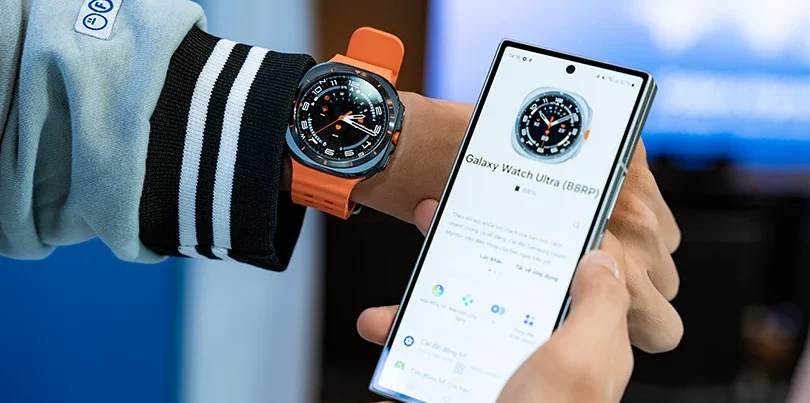
Experience the ultimate Luxury Watch Face trend for 2026. Whether you are using a Samsung Watch Face or any WearOS device, our latest collection is designed to elevate your style.
This is a guide written by N-SPORT Watch Face to guide you in installing the watch face .apk file via adb from a laptop/PC that supports network connection.
Supported smartwatch devices: Samsung galaxy watch face devices such as Galaxy watch Ultra/ Watch 7/6/5/4/3…
Please download the adb file from the following link:
DOWN ADB FILE AT
Unzip and copy the file to drive C, paste immediately into the home directory of drive C
Then use Cmd to call the command to connect and install face.
1. To open cmd, quickly press the key: Win + R, enter cmd, enter.
2. The CMD window opens as shown:
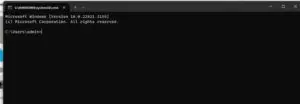
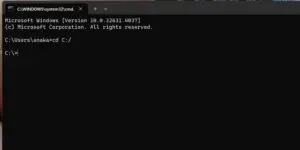
3. Enter the command: cd: C:/ and press Enter
4. The window appears as shown below:
5.
Turn on the watch, connect to wifi ok, make sure laptop and watch 4,5,6,7 are connected to the same wifi network.
6. Go to watch settings, scroll down to select Watch information, click Software information, click 7 times on the line: software version to open developer mode.
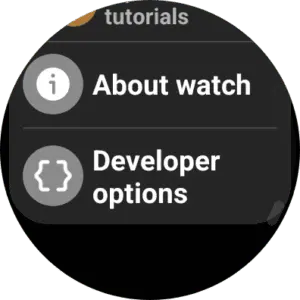
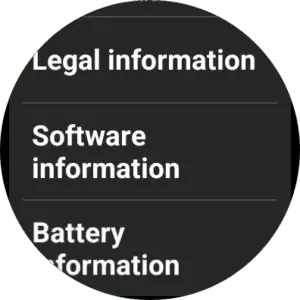
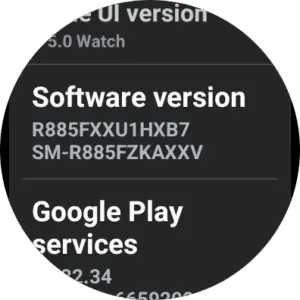
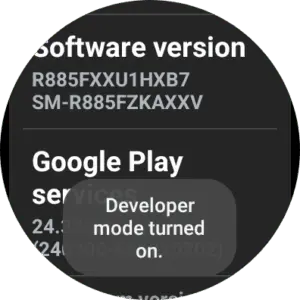
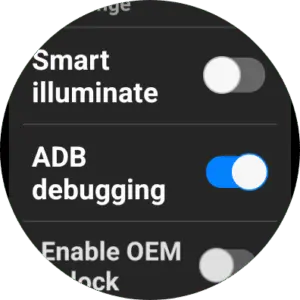
7. Click on developer options, scroll down to enable: adb debugging
8. Scroll down to: Wireless debugging, click on it. Turn on wireless debugging:
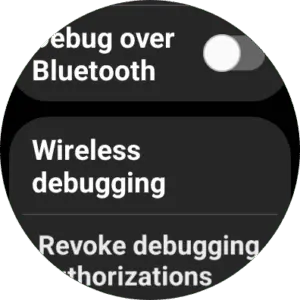
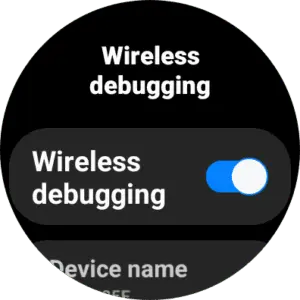
Scroll down to the bottom
9. Click pair new device
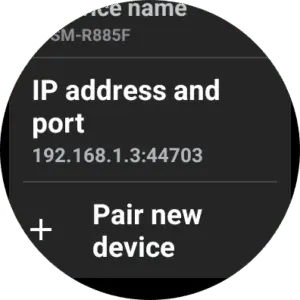
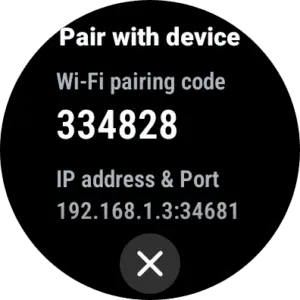
10. Switch to the CMD window, pay attention to the part: IP address and port on your watch (for example: 192.168.1.3:34681), type the command:
adb pair 192.168.1.3:34681
Replace 192.168.1.3:34681 with the IP address as on your watch and press Enter
After entering the above command, Enter pairing code will appear, enter the number in the section: Wifi pairing code on watch here.
Press enter, the connection is successful as shown in the picture, ok

11. On the watch, press back to return to the wireless debugging section: note the ip address:
12. From CMD, enter the command: adb connect 192.168.1.3:44703
Note: replace 192.168.1.3:44703 with the code as on your watch.
Press enter

13. Now, copy the watch face file right into the root folder of drive C, in the same place as the adb file above.
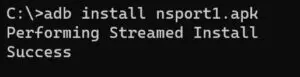
Type the following command to install the face on the watch (note: rename nsport1.apk with the correct name of your face file):
adb install nsport1.apk
Press enter and wait for the face to install
Report as shown in the picture is ok
14. Open your watch and enjoy
Note:
The IP address in the article and image is for illustration only, you need to replace it with your watch’s IP address.
If you copy the article, please note the source, copyright by N-SPORT Watch Face.
Safety Notice and Disclaimer
1.The adb file in link is safe, you can also download it from another source if you like.
2. The above instructions have been successfully followed by many tests, however, it is only recommended that you follow them after you clearly understand what you are doing. I am not responsible for any problems with your device. Thank you!